School Vault for Early Years is part of School Vault, the operational infrastructure African schools run on.
Built for nurseries & primary schools

Run your school well. Keep every child safe. One system for both.

School Vault for Early Years coordinates pickups, attendance, fees, milestones, and reporting in one place, so your team can give every child the care and attention they came for.

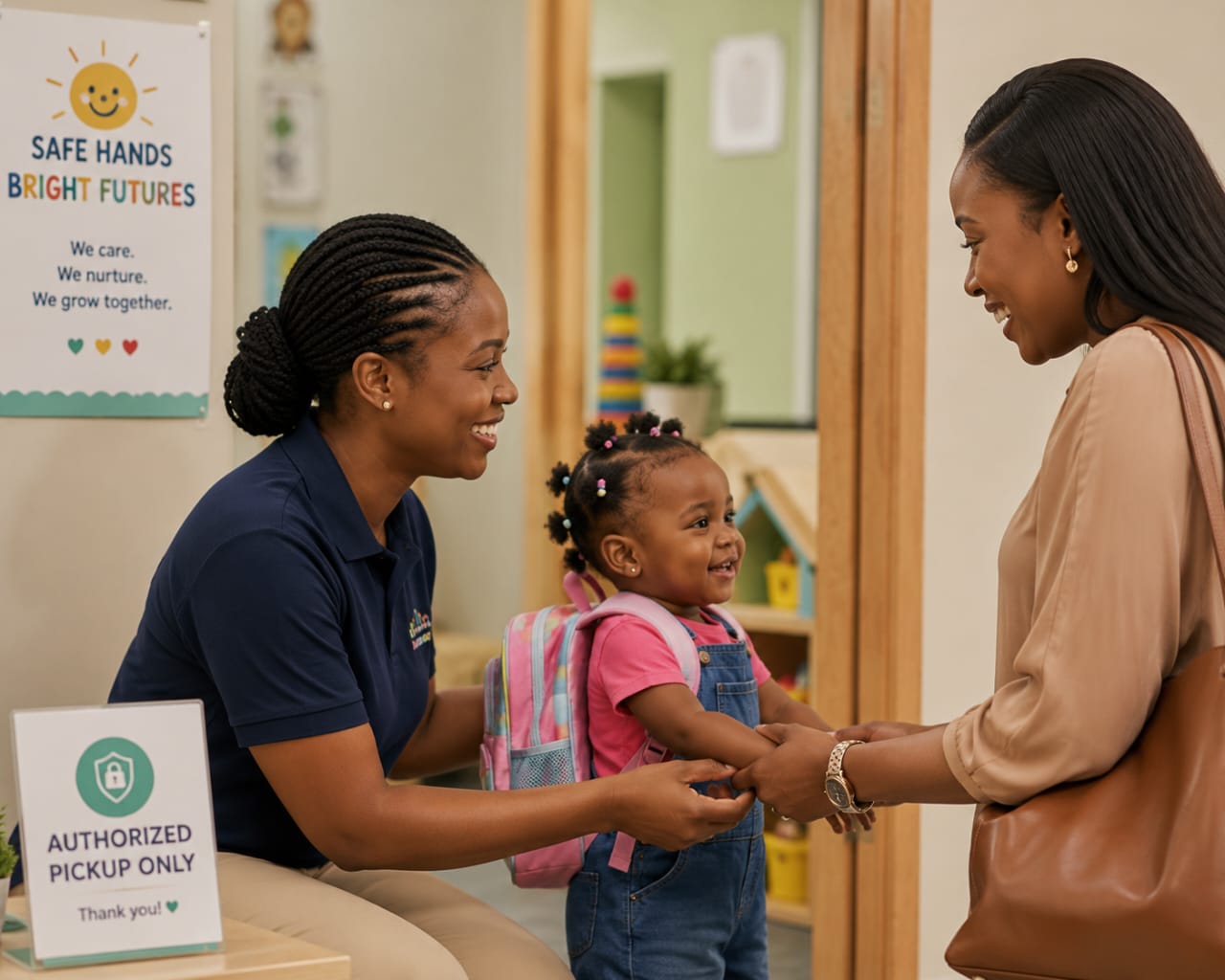
A young child at a Nigerian nursery school
Authorized pickupOnly approved guardians
₦960,046,349.60
processed across the School Vault ecosystem
Early Years
nursery & primary, by design
10 Frameworks
EYFS, NERDC, Montessori, British-Nigerian Hybrid & more
1 CSV
onboards your entire student body with classes and parent accounts
One platform, not seven

Everything you are running your school on right now.

Most schools hold themselves together with a stack of tools that do not talk to each other. School Vault replaces the whole stack.

Paper registersWhatsApp groupsExcel fee trackersWord report templatesPhysical health filesA separate accounting packagePhotocopied exam papers
One secure, role-controlled platformFrom crèche to primary, from the gate to the board room.
Keep every child safe

The part of the day a parent worries about most.

In an Early Years school, safety is not a feature. It is the promise the whole school is built on. School Vault makes that promise something you can prove, every single day.

Authorized pickups

Every child has a list of approved guardians. No one outside that list collects a child, and the record shows exactly who did.

QR check-in and check-out

A quick scan logs the exact time each child arrives and leaves, and who brought and collected them.

Incident logging

A bump, a fall, or a concern is recorded the moment it happens, with a clear trail you can share and act on.

Wellness tracking

Notes on health, mood, and wellbeing follow each child over time, so patterns are noticed early.

When a parent asks who collected their child today, you have the answer before they finish the sentence.

Attendance that tells you something

Not just who is here. What the pattern means.

Configurable statuses

Schools are not locked to Present and Absent. Define your own set: Late, Excused, Medical, Field Trip, or whatever the school uses. Those statuses flow through the attendance interface, parent notifications, and every report.

Arrival context

When a child arrives, the teacher logs mood, drop-off person, and any health flag in the same step. That entry becomes part of the child's daily journey and is visible on the head teacher's arrival dashboard.

Smart analytics

The system flags children late five or more times in a term, those with attendance below threshold, and those with perfect attendance — automatically. The head teacher opens the analytics tab and the list is already there.

Early Years daily reports

Every parent sees the whole day, not just the drop-off and the pickup.

For crèche, playgroup, and nursery, the day is made of small things. School Vault records them and sends them home, so parents never have to wonder how it went.

  • Meal tracking

    What was offered and how much was eaten, recorded for every meal and snack.

  • Nap records

    When a child slept and for how long, so the day at home picks up where school left off.

  • Mood indicators

    A simple read on how the child felt through the day, noticed and shared.

  • Photo sharing

    A moment from the day sent straight to the parent's private portal.

Tomi's dayToday, Sunshine Class
Photo from today
LunchAte most of it
Nap12:40 – 1:55 pm
MoodHappy and settled
The child daily journey

The daily report tells parents what happened. The daily journey shows them when, who, and exactly how.

Not a summary written at home time. A structured record, built entry by entry as the day unfolds.

The daily journey is a timestamped event log, not a narrative. Each entry is one action: a check-in scan, a meal tick, a medication note, a nap start. Staff log each event in a few taps at the moment it happens, alongside the caregiving, not instead of it. The journey builds itself. There is no report to write at the end of the day.

What it captures: check-in time and who brought the child in. Mood at the gate. What was offered and how much was eaten. When they slept and when they woke. Any medication administered, with the name, dose, and time recorded. What activities they completed. And exactly who collected them, and when.

Parents view the full timeline in their portal. They can download it as a branded PDF. The journey is complete the moment the child is collected. There is nothing to compile, nothing to summarise, and no version of events that depends on someone's memory at 4pm.

A parent who can see the whole day does not need to call. That is the point.
Tomi's daily journeyTuesday · Sunshine Class
7:52 AM
Checked inDropped off by Mum
8:10 AM
Mood at arrivalHappy and settled
10:30 AM
Morning snackFinished fully
12:20 PM
MedicationParacetamol 250mg, recorded by Mrs. AdeyemiMedical log
1:05 PM
NapBegan 1:05 PM · Woke 1:55 PM
2:30 PM
ActivityArt and craft session completed
3:45 PM
Collected by DadAuthorised pickup confirmedVerified
Run the school well

The money and the machinery, in one view.

Everything it takes to keep an Early Years school running, coordinated so nothing lives in a separate book or a forgotten WhatsApp group.

Fee management Paystack DVA

Every parent has their own Dedicated Virtual Account. Transfers reconcile automatically. The bursar sees every payment the moment it lands — no manual matching, no disputes.

Budget & expense tracking

See what is coming in and going out across the school, so finance decisions rest on current numbers.

Staff & class management

Organise classes, assign staff, and manage your team from one place, with the right people tied to the right children.

Academic calendar

Terms, events, and key dates in one shared calendar, so staff and parents work from the same schedule.

Communication & notifications

Fees, results, and notices reach each parent directly through WhatsApp, SMS, and in-app messages.

Child records & guardians

Enrollment, documents, and guardian details held as one trusted record per child.

A bank account for every parent

This is not a payment link. Every parent on School Vault receives their own Dedicated Virtual Account: a unique bank account number, powered by Paystack. Parents pay fees by transferring directly to their account number, the same way they would pay any bill. No reference codes to include. No callbacks to match manually.

When the transfer lands, it reconciles to the correct child's fee record automatically. The bursar sees it immediately. The parent receives a receipt. The conversation about whether a payment was made is over because the record is unambiguous.

Most schools using Paystack are using a payment link. This is different. It is a bank account that belongs to the parent and settles to the school.
1:1
One unique account number per parent. No shared payment links. No manual matching.
Learning & development

Track how each child is growing, not just that they showed up.

Early Years is where development is most visible and most worth recording. School Vault supports EYFS, NERDC, Montessori, and eight other frameworks — each configurable per class level, so every school teaches on its own terms.

  • 1

    Developmental milestones

    Nursery assessments that follow each child's progress across the areas that define Early Years growth.

  • 2

    Curriculum planning

    Planning built around your chosen framework — assigned per class level, so nursery and primary can each run what they need.

  • 3

    Report cards & assessment reports

    Reports draw from recorded observations and apply the correct assessment scale automatically — EYFS judgement, NERDC numeric grading, or a custom checklist.

  • 4

    House points & engagement

    Recognise effort and participation in a way young children respond to, tracked across the term.

Early Years learning and assessment
Curriculum Engine

Curriculum that matches how your school actually teaches

Not every school follows the same framework. School Vault does not assume they do.

The Curriculum Centre lets schools install any framework from the library in one click, or install several and assign each to the right class level. A school running EYFS in nursery and NERDC in primary sets up both, assigns each to the correct classes, and the assessment, observation, and reporting tools use the right framework automatically.

Teachers see their framework's domains and learning indicators when recording observations. Report cards draw from those observations and apply the correct assessment scale: EYFS Emerging/Expected/Exceeding judgement, NERDC numeric grading, or a custom checklist. The framework library includes ten options, including a British-Nigerian Hybrid framework purpose-built for schools blending EYFS prime areas with Nigerian cultural studies.

EYFS
NERDC
Montessori
Reggio Emilia
High Scope
Creative Curriculum
IB PYP
Waldorf
Project-Based Learning
British-Nigerian Hybrid

The assessment system follows the curriculum. Not the other way around.

Built to be trusted with children's data

Safeguarding is a promise. The architecture is how we keep it.

Child data is the most sensitive information a school holds. School Vault is built so that record cannot be quietly changed, and so the wrong person never sees it.

Tamper-evident audit log

Every change to a child's record is written to an append-only log enforced at the database level. The trail cannot be silently altered.

18 controlled roles

Access is enforced at the API and database query layers, not just hidden in the screen. People see only what their role allows.

Isolated per school

Each school runs as a fully separate tenant. One school's data is never mingled with another's, by design.

Secured access

Authenticated sessions, rate limiting, and protected database access keep sensitive child information where it belongs.

Trust at scale, where trust matters most
₦960,046,349.60

Schools do not process nearly a billion naira through a system they are not certain of. Across the School Vault ecosystem, this figure is the measure of how much Nigerian schools have trusted us with their most critical operations, in the segment where the stakes are highest.

What this looks like to a parent.

A parent does not see your dashboard. They see whether their child was collected by the right person, whether the fee receipt arrived, and whether anyone noticed the small things.

School Vault makes all of that visible and dependable, which is how a school earns the kind of trust that keeps families enrolled.

"

I get a notification the moment my daughter is checked in, and again when she is collected. As a parent, that is the difference between hoping the day went well and knowing it did.

The Family Hub

Every parent sees the same six things when they open School Vault.

Those six things answer every question they were going to call about.

The Family Hub is the parent's home screen. Not a feed, not a notification list. A structured dashboard with six panels, each answering one question, so a parent with thirty seconds between meetings can see exactly how their child's day is going.

Today's Status

The child's attendance status, mood at arrival, and any wellness flag recorded this morning.

Learning Highlights

The most recent teacher observation and the curriculum domain it maps to. One line. Current.

Wellness Summary

Medication administered today and any health notes from staff. Nothing hidden, nothing lost.

Outstanding Actions

Fee balance, in red if overdue. Parents see it. They cannot miss it. The follow-up call is not necessary.

Upcoming Events

The next item from the school calendar — one event, clearly stated, so parents are never caught unprepared.

Recent Updates

The latest daily report entry from the child's teacher. Direct, timely, and from the person who actually knows.

This is what replaces the "How was school?" question that never gets a complete answer.

The parent portal

Everything in one private login.

The Family Hub is the parent's overview. The portal holds the full detail — every record, every message, every document, in one place that belongs to them.

  • Child daily journey The full timestamped event log, downloadable as a branded PDF.
  • Daily reports Meals, naps, mood, and photos, assembled from the day's log.
  • Health records Allergies, vaccinations, and any incident, kept current.
  • Developmental milestones How their child is growing, term by term.
  • Fee statements What is paid, what is due, with instant receipts from each DVA transfer.
  • Direct teacher messaging A private, recorded line to the people who know their child.
"

Between the check-in alert and the daily report, I always know how her day went before she is even home.

A parentusing the School Vault portal
From schools already running on it

Built for nursery and primary, proven in nursery and primary.

"
Before School Vault, payment disputes and forged receipts were a regular drain on management time. That is simply gone now. We track every payment, generate reports, and monitor what each class owes in real time. The offline exam feature has also changed how we run assessments entirely. School Vault has become part of how this school operates.
CO
Dr. (Mrs.) Clementinah Owokade
Proprietress, Clemmy Schools
"
School Vault has reduced the paperwork, cut down on errors, and made communication between staff and parents much more reliable. What stands out as much as the platform itself is the support: the team responds fast and follows through. To every parent, the payment system alone is worth it.
ME
Mrs. Egbayelo
Head Teacher, Clemmy Nursery and Primary School, Lagos
"
Tracking student payments used to take time I did not have. Now I can see where any student stands in seconds. It has made a real difference to how I manage my day.
MI
Mrs. Idowu
Parents' Relationship and Facility Manager, Clemmy Nursery and Primary School, Barikison
Getting started

1 CSV upload to onboard your entire student body

Classrooms and parent accounts created automatically. No separate steps, no manual linking.

  • 1

    Upload your student CSV

    A single file with student names, class names, and parent phone numbers. That is all the system needs to begin.

  • 2

    Classrooms are created automatically

    The system reads the class column and creates any classroom that does not yet exist. Nothing to configure first.

  • 3

    Parent accounts are created and linked

    Each parent receives an account with a temporary password set to their own phone number. A flag forces a password change on first login. Each child is linked to their parent automatically.

  • 4

    Your student body is live

    Every child is enrolled. Every parent has access. Every class is populated. Staff accounts, fee templates, and curriculum assignment are set up separately once the school is on the platform.

Student CSV
Tomi Adeyemi, Playgroup A, +234 803 xxx xxxx
Kemi Balogun, Nursery 1, +234 805 xxx xxxx
Emeka Okafor, Primary 2, +234 701 xxx xxxx
3 classrooms created
3 parent accounts created
3 children linked to parents
Password change required on first login

Give every child the safety and care your school promises.

See School Vault for Early Years on your own school's setup.